You’ve migrated to GA4. You’ve survived the transition (barely). And now you’re finally getting around to auditing your implementation, because something feels off, doesn’t it?
Maybe your conversion numbers don’t match what you’re seeing in your CRM. Maybe your marketing director is asking questions you can’t confidently answer. Or maybe you just have this nagging suspicion that your data isn’t as clean as it should be.
Here’s the thing: most GA4 audits focus on the wrong problems. They catch the obvious stuff (duplicate tags, missing events) but completely miss the systemic issues that plague large-scale implementations, especially for government agencies, higher education institutions, and enterprise organizations juggling multiple departments, compliance requirements, and legacy systems.
So let’s talk about the mistakes you’re actually making, the ones that don’t show up in automated audit reports but quietly erode your data quality every single day.
1. You’re Doubling Up on Events (And Inflating Your Metrics)
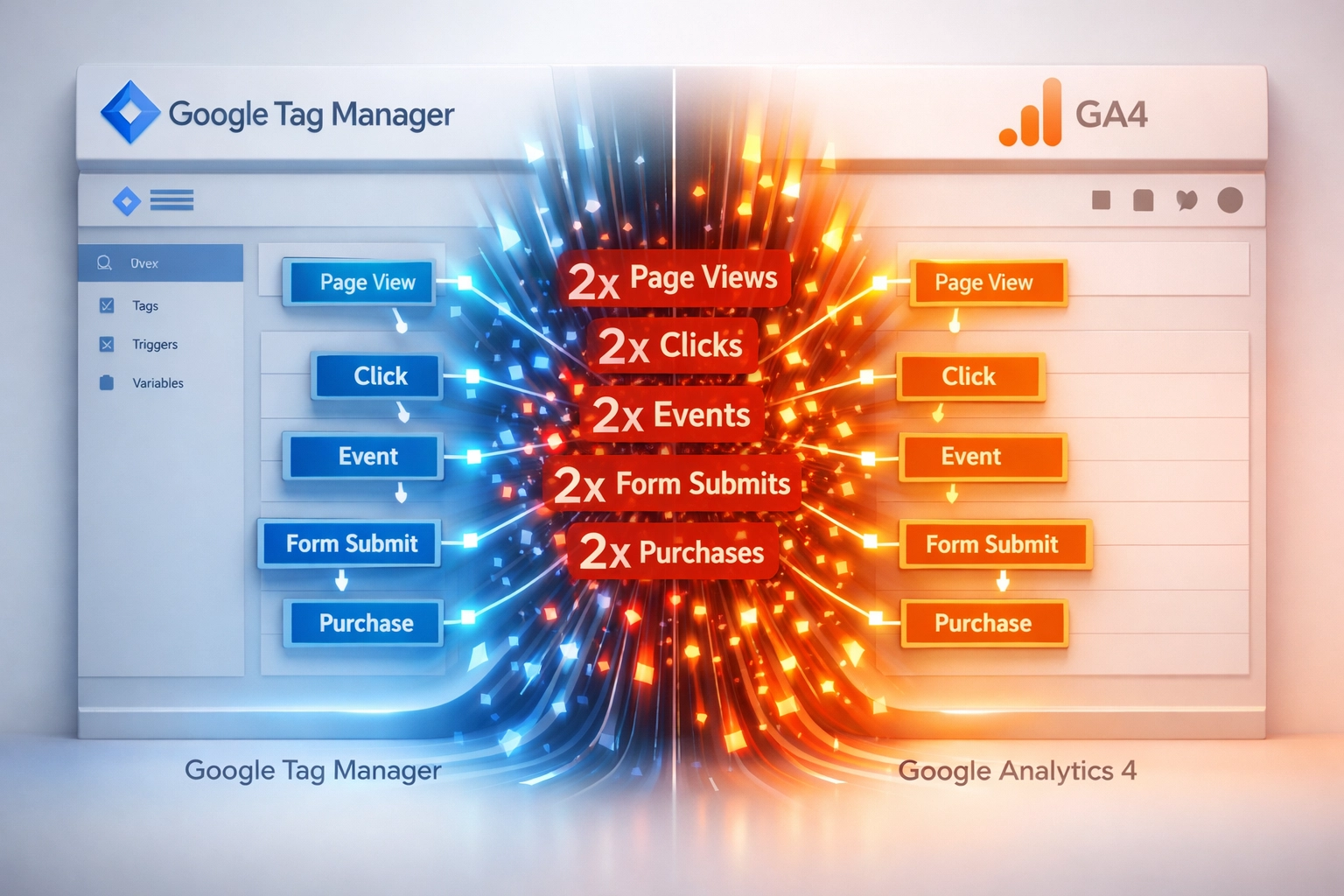
Here’s a scenario I see constantly: Your team sends custom events through Google Tag Manager. Someone on the analytics side, probably trying to be helpful, goes into GA4 > Configure > Events and manually creates those same events again.
The result? Duplicate events that make your conversion rates look artificially high.
This happens because GA4 automatically recognizes custom events sent through GTM or GTAG. You don’t need to register them in the interface. When you do both, GA4 counts the event twice, once from your tag, once from your manual configuration.
How to Fix It: Delete the manually created events from your GA4 interface. Use DebugView or Tag Assistant to audit for multiple GA4 configurations firing on the same page. And if you’re managing GA4 reporting for state and federal agencies (where accuracy isn’t optional), document which events are coming from GTM versus the GA4 interface. Create a governance policy so this doesn’t happen again.
2. You’re Using the Default Data Retention Setting
Pop quiz: How long does your GA4 property retain user-level data for custom reports?
If you don’t know the answer off the top of your head, it’s probably two months. That’s GA4’s default setting, and it’s wildly insufficient for any organization that needs to run year-over-year comparisons.
The problem isn’t immediately obvious. Standard reports retain data indefinitely. But custom explorations, the reports where you actually do meaningful analysis, only access data within your retention window. Once those two months pass, that data is gone forever. No recovery. No appeals.
How to Fix It: Go to Admin > Data Settings > Data Retention and change it to 14 months right now. Don’t wait. If you’ve already lost historical data, well… that’s a lesson learned the expensive way. For organizations handling data privacy and GA4 implementation for public sector clients, this becomes doubly important, you need to balance retention requirements with compliance obligations (FERPA for universities, for example).
3. Your Staging Environment Is Polluting Your Live Data
Let me guess: Your development team runs tests on a staging server. Maybe it’s staging.yoursite.gov or dev.university.edu. And your GA4 tags are firing on those test environments, sending phantom users, fake conversions, and test transactions into your production property.
This is especially common in large organizations where multiple teams manage different parts of the tech stack. The marketing team sets up GA4. The dev team builds features. Nobody coordinates. And suddenly your reports are full of noise.
How to Fix It: Create a separate GA4 property for staging and development environments. Update your GTM configuration to use different measurement IDs based on the hostname. Add a simple variable in GTM that checks the URL and only fires your production tags on production domains. This is Analytics Governance 101, but I’ve seen federal agencies skip this step and spend months trying to filter out bad data retroactively (spoiler: you can’t).
4. You’re Creating High-Cardinality Custom Dimensions
Custom dimensions are powerful. They let you track data beyond GA4’s default events. But here’s what nobody tells you: if a custom dimension has more than 500 unique values in a single day, GA4 starts hiding user data and applying modeling.
Translation? Your precise measurements become estimates. Your exact counts become approximations. And you lose the granular data that makes custom dimensions useful in the first place.
I see this mistake constantly in higher education (tracking individual course IDs), government portals (tracking specific form submissions), and enterprise B2B (tracking every unique product SKU).
How to Fix It: Reduce cardinality by creating categories instead of tracking exact values. Instead of logging every individual article word count (which varies for each piece), create buckets: “word_count: 500-1000” or “content_length: short/medium/long.” Instead of tracking 500 different course codes, group by department or level. The goal is to keep custom dimensions meaningful without crossing GA4’s thresholds.

5. You’re Dismissing Setup Notifications Without Reading Them
You know those little notification prompts GA4 shows during setup? The ones about “advanced configuration options” and “recommended settings”?
Yeah, you clicked “Dismiss” on all of them, didn’t you?
Here’s the issue: Those prompts aren’t just GA4 nagging you. They’re gatekeepers for critical configuration settings: things like cross-domain tracking, enhanced measurement options, and data stream settings. When you dismiss them, you’re essentially saying “I’ve reviewed this and intentionally chose not to configure it.” Except you haven’t reviewed it.
How to Fix It: Go back through your property settings and manually review each section. Even if you decide not to implement certain features, make that decision consciously. For large-scale implementations (especially in government where audit trails matter), document why you configured things the way you did. This saves you when the inevitable “Why didn’t we set this up?” question comes six months later.
6. Your UTM Parameters Are a Hot Mess
Let me paint a picture: Your social media team uses “utm_source=facebook.” Your email team uses “utm_source=Facebook.” Your paid team uses “utm_source=fb.” And somehow, your intern used “utm_source=FB_ADS_2024.”
GA4 sees these as four different traffic sources. Your attribution is fragmented. Your channel groupings show “Unassigned” everywhere. And your marketing director is asking why Facebook traffic disappeared when it actually just got split across multiple buckets.
How to Fix It: Create a UTM governance document today. Standardize your parameters. Use lowercase. No spaces. No special characters. Monitor your default channel grouping regularly: Google updates its accepted values, and non-standard UTMs get bucketed into “Unassigned.” For enterprise organizations managing campaigns across departments, this requires actual governance: not just a shared Google Doc that nobody follows.

7. You’re Trusting Automated Audit Tools to Find Everything
Automated GA4 audit tools are useful. They’ll catch duplicate tags, missing events, and configuration errors. But here’s what they won’t tell you: whether you’re tracking the right things in the first place.
An audit tool will confirm that your conversion event fires correctly. It won’t tell you if that conversion event actually matters to your business goals. It’ll verify your custom dimensions are configured properly. It won’t ask if those dimensions align with your measurement strategy.
This is the biggest mistake I see in large organizations: treating audits as a technical checklist instead of a strategic review. You end up with a “clean” implementation that measures the wrong things.
How to Fix It: Complement automated audits with expert review. Create a documented measurement plan that ties every event to a business objective. Ask questions like: Are we tracking what matters? Are our conversion events actually predictive of outcomes? Does our tagging strategy make sense for our customer journey? For organizations handling complex implementations (multi-departmental universities, multi-agency government portals, enterprise B2B with long sales cycles), this strategic layer is where the real value lives.
The Real Cost of a Bad Audit
Look, I get it. Audits aren’t sexy. They don’t generate leads or improve rankings. They’re the digital equivalent of flossing: everyone knows they should do it, but it’s easy to skip.
But here’s the reality: a bad GA4 implementation doesn’t just give you messy data. It gives you confident decisions based on wrong information. And that’s infinitely worse than no data at all.
When your retention settings are wrong, you can’t prove ROI on last year’s campaigns. When your staging data pollutes production, you can’t trust this month’s conversion rates. When your custom dimensions hit cardinality limits, you lose the granular insights you built them to capture.
For government agencies and higher education institutions especially: where decisions impact public resources and compliance isn’t optional: the stakes are higher. You need GA4 reporting that’s defensible, auditable, and actually accurate.
So before you check “GA4 audit” off your to-do list, ask yourself: Are you actually fixing the right problems? Or are you just making your data look clean while the systemic issues continue to compound?
Because the most expensive GA4 mistake isn’t the one you make today. It’s the one you don’t catch until six months of decisions have been made based on flawed data.
Need help untangling your GA4 implementation? Let’s talk. I’ve spent enough time in BigQuery cleaning up these exact issues: I can probably guess what’s broken before you tell me.