Is Your Enterprise Site Slowly Dying (And Nobody Noticed)?
Here's something I see constantly in technical SEO consulting: Large organizations with multi-million dollar digital budgets who can't tell you when they last checked their robots.txt file. Or whether their SSL certificate is valid across all subdomains. Or if Google can even crawl half their product pages.
The assumption? "We're a Fortune 500 company, our technical SEO must be fine."
Spoiler: It's probably not.
The larger your organization, the more moving parts you have. More departments launching microsites. More third-party vendors injecting tags. More content migrations gone wrong. And all of it slowly strangling your organic visibility while everyone's focused on the latest AI marketing trend.
So let's talk about the 10 technical SEO factors that actually matter for large organizations in 2026, the ones that separate sites that rank from sites that rot.

1. Crawlability: Can Google Even See Your Important Pages?
This is SEO 101, but you'd be shocked how often enterprise sites accidentally block critical sections in robots.txt. (I once found a university blocking their entire /programs/ directory. Guess how many prospective students found them organically?)
What to check:
- Is robots.txt blocking anything it shouldn't?
- Are you using noindex tags strategically, or did a developer slap them on pagination pages "just in case"?
- How many of your URLs are actually indexed in Google Search Console?
For large sites, the real killer is crawl depth. If your most important conversion pages are buried 5+ clicks from your homepage, Google's treating them like orphaned stepchildren. And orphaned pages, pages with zero internal links pointing to them, might as well not exist.
2. HTTPS and SSL: The Non-Negotiable Baseline
HTTPS has been a ranking factor since 2014. If you're still running HTTP in 2026 (or worse, mixing HTTP and HTTPS content), you're not just losing rankings, you're actively scaring away users with those browser security warnings.
The enterprise-specific problem? Subdomains. Your main site might be fine, but what about that ancient careers subdomain from 2015? Or the third-party form processor your HR department uses?
Check every subdomain. Verify SSL certificates haven't expired. Make sure all HTTP versions 301 redirect to HTTPS. It's basic infrastructure hygiene, but it's shocking how many organizations treat it like optional.
3. Core Web Vitals: Google's Performance Report Card
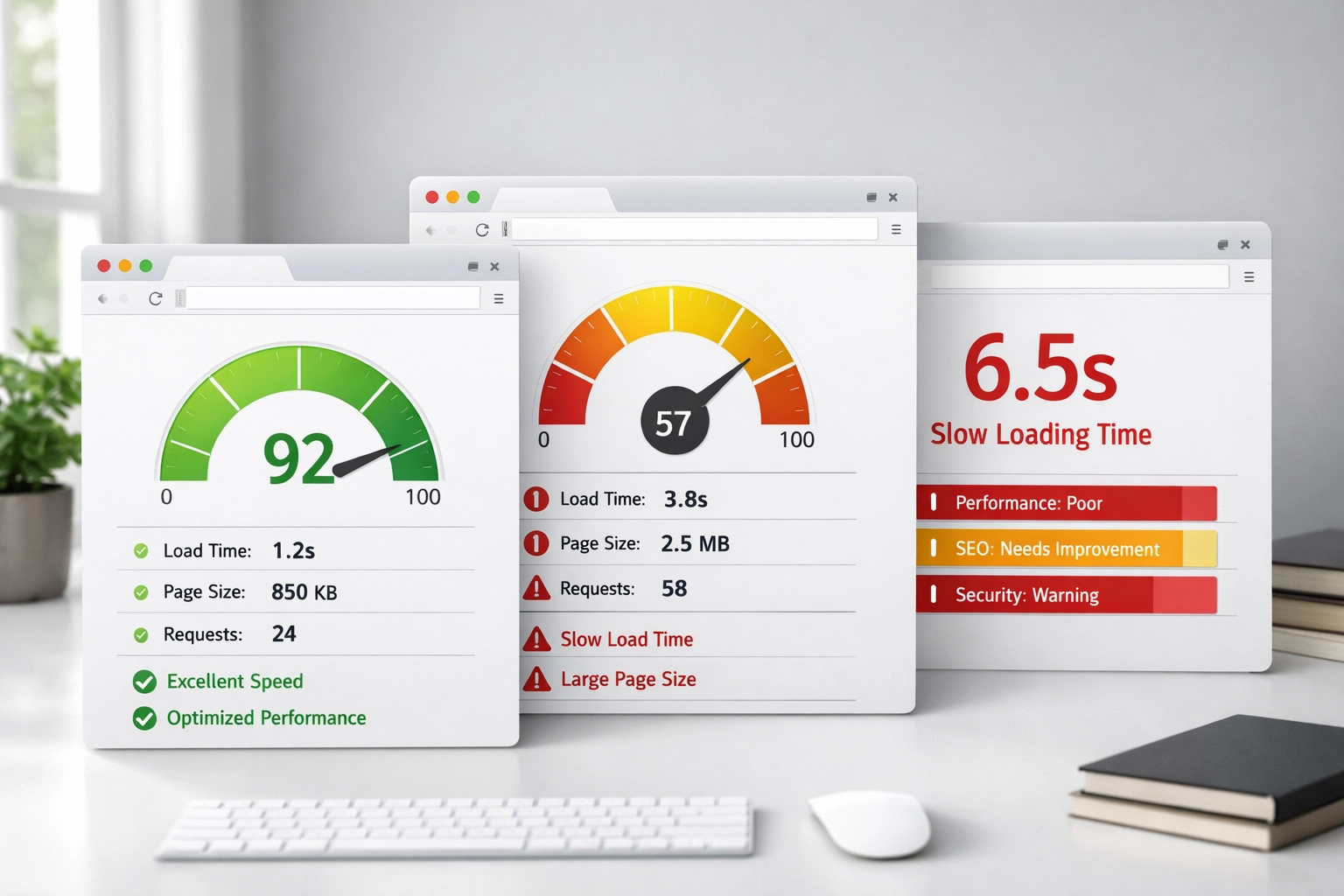
Love them or hate them, Core Web Vitals are here to stay. And for large organizations with legacy tech stacks and bloated CMSs, they're often a nightmare.
The three metrics that matter:
- Largest Contentful Paint (LCP): How fast your main content loads (target: under 2.5 seconds)
- Interaction to Next Paint (INP): How quickly your site responds to user interactions (target: under 200ms)
- Cumulative Layout Shift (CLS): Whether your page elements jump around while loading (target: under 0.1)
The technical debt problem is real here. That marketing automation platform from 2018? It's probably killing your LCP. Those dynamic ad units? Hello, layout shift.
4. Mobile Responsiveness: Because Desktop-First Died Years Ago
Google switched to mobile-first indexing years ago, which means they're primarily looking at your mobile site to determine rankings. Not your beautiful desktop experience, your mobile one.
Run your top landing pages through Google's Mobile-Friendly Test. Is your content consistent across devices? (Some sites hide content on mobile, which Google interprets as "less valuable page.") Are touch targets appropriately sized? Does your mobile site load in under 3 seconds?
For enterprise organizations, the challenge is often that different teams own different parts of the mobile experience. Marketing owns some templates. IT owns others. And nobody's actually looking at the whole picture.
5. XML Sitemaps: Your Roadmap for Search Engines
Your XML sitemap should be a clean, curated list of only the URLs you want indexed. Not your 404 pages. Not your redirect chains. Not pages blocked by robots.txt.
The enterprise sitemap problem? Scale. Large organizations often have sitemaps with 50,000+ URLs, many of which return errors or redirect. It's like giving Google a roadmap where half the roads don't exist anymore.
Audit your sitemaps quarterly (at minimum). Remove anything that isn't a clean 200 status code. Submit updated sitemaps to both Google Search Console and Bing Webmaster Tools. And for the love of all that is holy, update them after major site migrations.
6. Canonical Tags and Duplicate Content: The Identity Crisis
Here's a fun fact: You should use self-referencing canonical tags on every page, even when you think there's no duplicate content. Why? Because large organizations always have more URL variations than they realize.
Common culprits:
- www vs. non-www versions
- HTTP vs. HTTPS (see #2)
- Trailing slashes vs. no trailing slashes
- Query parameters from tracking codes or filters
Without proper canonicalization, you're splitting your ranking signals across multiple URLs for essentially the same page. It's like running the same candidate in an election under three different names, you're just competing against yourself.

7. Redirects and Status Codes: The Technical Debt Tax
Every 404 error is a dead end for users and search engines. Every redirect chain (Page A → Page B → Page C) wastes precious crawl budget and dilutes link equity.
What to audit:
- All 404 errors (fix them or 301 redirect them)
- Any 302 redirects that should be 301s (302s don't pass link equity)
- Redirect chains longer than one hop
- Redirect loops (yes, they happen more than you'd think)
For large organizations, the typical scenario is this: Someone migrated content three years ago. They set up redirects. Then someone else migrated that same content again. Now you have redirects pointing to redirects pointing to redirects, and Google's just giving up halfway through.
8. Schema Markup: The Competitive Edge for Rich Results
Schema markup is structured data that helps search engines understand what your content means, not just what it says. And it's increasingly the difference between showing up as a basic blue link or getting a rich result with images, ratings, or FAQ accordions.
For large organizations, the opportunity is massive:
- Product schema for e-commerce
- Event schema for conferences or webinars
- FAQ schema for support content
- Organization schema for brand identity
- BreadcrumbList schema for site architecture
Use Google's Rich Results Test to validate your structured data. Monitor performance in Search Console's Enhancements section. And remember: Schema alone won't make you rank, but it absolutely affects click-through rates once you do rank.
9. Site Speed: The Universal Performance Bottleneck
This one ties into Core Web Vitals, but it's worth calling out separately because sitewide slow performance is often a server configuration issue, not just a front-end problem.
Run your top 20 landing pages through PageSpeed Insights. Look for patterns:
- Are third-party scripts consistently slowing things down?
- Is image optimization happening at scale, or are marketing teams uploading 5MB hero images?
- Are you using a CDN effectively?
- Is your server response time (Time to First Byte) under 600ms?
For large organizations, the bottleneck is often political, not technical. Marketing wants more tags and widgets. IT wants to lock everything down for security. Nobody wants to be the one to say "that third-party chat widget is killing our Core Web Vitals scores."
(Someone needs to say it.)

10. Internal Linking and Broken Links: The Architecture Problem
Your internal linking structure tells Google which pages matter most. Pages linked from your homepage? Important. Pages buried 6 clicks deep with only one internal link? Not important.
The enterprise-specific challenge: As sites grow, orphaned pages multiply. Content gets published but never linked. Old campaigns get archived but URLs don't get redirected. Navigation gets restructured and suddenly hundreds of pages lose their main source of internal links.
Audit your internal linking systematically:
- Which high-value pages have fewer than 3 internal links?
- Are you linking to 404s or redirects internally? (Fix those immediately.)
- Is your navigation structure logical for both users and crawlers?
- Are you using descriptive anchor text that tells Google what the destination page is about?
Tools like Screaming Frog can crawl your entire site and show you exactly where broken links and orphaned pages hide. For large organizations, this is non-negotiable infrastructure work.
The ROI Shield: Why Technical SEO Consulting Matters
Look, I get it. Technical SEO isn't sexy. It doesn't generate the same excitement as "AI-powered content strategy" or "viral social campaigns."
But here's the reality: Every dollar you spend on content, ads, or fancy martech is partially wasted if your technical foundation is broken.
You can't out-content a crawlability problem. You can't out-link-build a redirect chain disaster. And you definitely can't out-AI a site that Google can't even index properly.
For large organizations, technical SEO consulting isn't about checking boxes: it's about building the infrastructure that lets everything else work. It's The ROI Shield that protects your marketing investments from being undermined by technical debt.
The ten items above aren't exhaustive (we didn't even get into JavaScript rendering, hreflang tags, or log file analysis). But they're the foundational elements that separate enterprise sites that dominate organic search from ones that slowly bleed visibility without anyone noticing.
Want help auditing your technical SEO foundation? Let's talk about what's actually happening under the hood of your site( before your competitors figure out their technical problems first.)
Related reading: 10 SEO Things Large Organizations Should Know Before 2027 · 10 Reasons Your Enterprise Site Isn't Indexing · Are You Making This 2MB Technical SEO Audit Mistake? · The Ultimate Guide to Entity-Based Technical SEO